Chat
Start a chat
Give Optimus a task, ask in a way that gets it right the first time, and follow the team while it works.
A chat is where you hand work to Optimus and watch it happen. Ask a question, point it at an experiment, or give it a whole job; it plans, runs tools, edits files and brings in specialists as it goes.
Use a chat for a question or a task you'll follow while it happens. For work that should keep going on its own, that someone should own, or that repeats, see Chat, goal, issue or automation?
Click New chat
The + next to Chats in the sidebar, or press ⌘N. The chat opens in its own tab with an empty composer that reads “Point Optimus at a goal, an experiment, or a question…”.
Say what you want
Write it the way you'd brief a colleague, then press Enter. ⇧Enter adds a new line. Ask well below covers what to include.
Follow along
Replies stream in with each tool call, file edit and command as it happens. Longer work shows a Plan above the composer, with steps ticking off. Change course any time; see Steer, queue and stop.
New chats go to Optimus. To talk to another agent directly, click its name in the sidebar's Agents section, or Chat on its profile. To change who answers new chats, use Settings → Workspace → New chats go to.
Ask well
Optimus already knows your workspace: its files, pages, agents and past chats. What it needs from you is what's in your head. A good ask covers four things:
| Part | Example |
|---|---|
| Outcome: what you want at the end | “Find why the fine-tune scores below the base model on the held-out set.” |
| Context: what you already know | “It started when we added the October ticket export.” |
| Limits: what to leave alone | “Keep the eval set and the learning rate as they are.” |
| Report: what to hand back | “The cause, the fix, and a three-seed run that proves it.” |
The fine-tune got worse, fix it.
Our support-bot fine-tune scores lower than the base model on the held-out eval, and it started when we added the October ticket export. Find the cause and keep the eval set and learning rate as they are. Give me the cause, the fix, and a three-seed run that proves it.
The first leaves Optimus to guess what “worse” means and what counts as fixed. The second gives it a target, a boundary and a way to prove it got there.
- Point at files with
@. The agent reads that exact file. See Mentions. - One outcome per ask. Two unrelated jobs in one message make it hard to tell when either is done.
- Say where the result goes. “Write it up on a page called Held-out regression” leaves something you can come back to. Chats scroll away; pages stay, and agents read them later.
- Big job? Make it a goal, so it keeps going until it can show the work is done.
Ask for checks
Optimus brings in specialists on its own when a task needs them. Name one when it matters to you:
- “Have Megatron try to disprove this before you report it.”
- “Ask Starscream whether resolved-rate measures what we care about.”
- “Have Ratchet write tests for the dedup script.”
A check costs a few minutes and catches the result you'd regret sharing.
Watch the team work
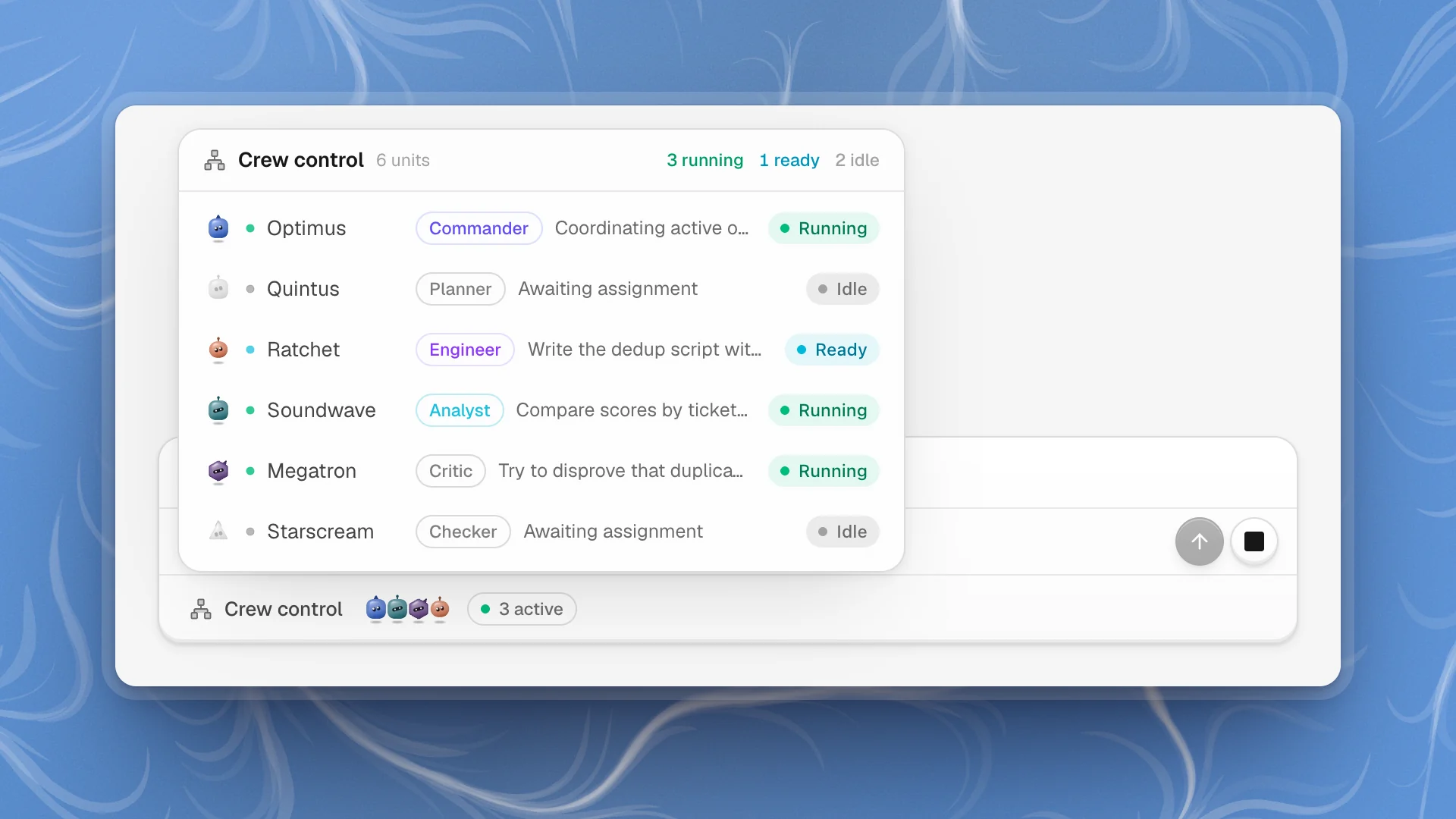
Specialists show up in the chat as they're brought in. Under the composer:
- Crew control shows who's engaged: Optimus and the team, each with its task and a state (Running, Ready, Paused, Idle, Fault). Click a row with a task to read that agent's transcript.
- Armada lists work Optimus handed off to run on its own. Each task has Steer, Pause and Discard task (click twice to confirm), so you can redirect one without stopping the rest.
Chambers and Armada covers both views, and the 3D stage, in detail.
Chat, goal, issue or automation?
| Use | When |
|---|---|
| Chat | A question, or a task you'll watch |
| Goal | Big work that should keep going until it's done and checked |
| Issue | Work someone should own, that you'll come back to |
| Automation | The same work on a schedule |
| Channel | Talking it through with several agents before doing it |
Does it remember?
Yes, within the workspace. Optimus can search earlier chats and pull up what was decided, so “do it the way we did the last fine-tune” works. Agents also keep memory notes that carry over between chats.
Each workspace remembers on its own. What you discuss in one workspace stays there.