Agents
Skills
The how-tos agents write for themselves, how they use them, and how to add, fix or remove one.
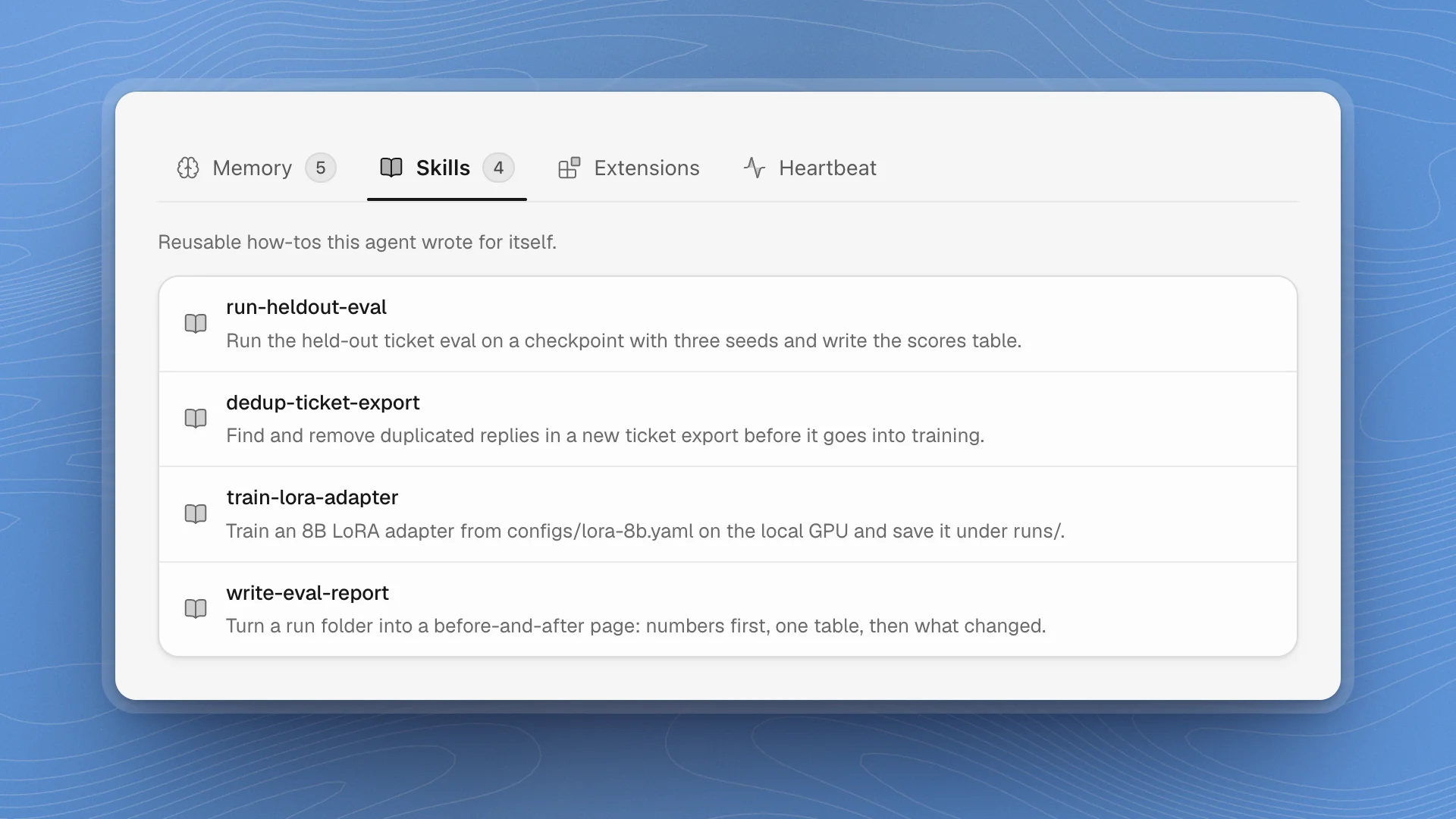
A skill is a written procedure for a job an agent does more than once: running your held-out eval, cleaning a ticket export, training an adapter the way your project does it. Agents write skills as they work, and reach for them the next time the same job comes up, so repeat work gets faster and more consistent.
When a skill helps
- A job comes up again and again, like running the held-out eval after every training run.
- A job must be done the same way every time, so this week's numbers compare with last week's.
- A rule matters at one moment, like “never train on the held-out set” inside the eval steps.
For guidance that applies to every task, use standing instructions instead. Without a skill, each run is worked out from scratch, and small differences (a different seed list, a different file) make results hard to compare.
What a skill is
Each skill is a folder with a SKILL.md file in it, inside the workspace:
| Where | Used by |
|---|---|
.optimus/agents/<agent>/skills/<name>/SKILL.md | That one agent |
.optimus/skills/<name>/SKILL.md | Every agent in the workspace |
SKILL.md starts with a short header, a name and a description, then the steps in plain Markdown. Scripts, templates or reference notes the skill needs can sit in the same folder.
---
name: run-heldout-eval
description: Run the held-out ticket eval on a checkpoint with three seeds and write the scores table.
---

1. Use evals/heldout-tickets.jsonl. Never train on it.
2. Run `python evals/run.py --checkpoint <path> --seeds 1 2 3`.
3. Report resolved rate as the mean and the worst seed, beside the base model's 71.4%.
4. Save the table to the run folder as scores.md.
How agents use skills
- The description decides when. Every agent session starts with the name and description of each skill it has. When a task matches a description, the agent opens that
SKILL.mdand follows it. A vague description means the skill gets skipped. - Agents write their own. When an agent works out a job it will likely repeat, it saves the steps as a skill. Doing the same job twice often produces one.
- New skills show up in new sessions. A skill added during a chat is picked up by the agent's next chat or task.
ArkenOS also gives agents built-in skills of its own, for things like writing pages, LaTeX documents, and the hooks and checks agents can set up for themselves. Those are managed by ArkenOS.
See an agent's skills
Open the agent's profile (click its card on the Agents page) and choose the Skills tab. Each row shows the skill's name and its description. The tab shows the agent's own skills; shared workspace skills live in .optimus/skills/.
Add, edit or remove a skill
Add one: ask for it
The easiest way is to ask the agent while the job is fresh: “Save what you just did as a skill called run-heldout-eval, so you run the eval the same way every time.” For a skill every agent should have, say “as a shared workspace skill”.
Edit one: open it from the Skills tab
Click the skill to open its
SKILL.mdas a document. Edit it like a page; it saves a moment after you stop typing, and ⌘S saves right away. The agent uses the new version the next time it opens the skill.Remove one: ask, or delete the folder
Ask the agent (“delete the train-lora-adapter skill, we moved to full fine-tunes”), or delete the skill's folder from the workspace folder on disk.
You can also write a skill by hand: create the folder and its SKILL.md in the workspace folder with any editor, using the format above.
Write skills that get used
- Make the description say when. “Run the held-out eval on a checkpoint” beats “eval stuff”. Name the trigger the agent will see in a task.
- One job per skill. Training, evaluating and reporting are three skills. Small skills combine; big ones get half-followed.
- Use real paths and commands.
evals/heldout-tickets.jsonland the exact command leave nothing to guess. - Put the rules that matter in the steps. “Never train on the held-out set” belongs inside the eval skill, where the agent reads it at the moment it matters.
- Fix the skill, then the result. When a run goes wrong because a skill is out of date (a moved config, a new eval file), correct the skill first so the next run is right too.
- Prune old ones. A skill for last month's setup will be followed faithfully, into the wrong folder.
For guidance an agent should follow on every task, use standing instructions.