Agents
Memory
The notes agents keep about your workspace, how they find them again, and how to read, fix or remove one.
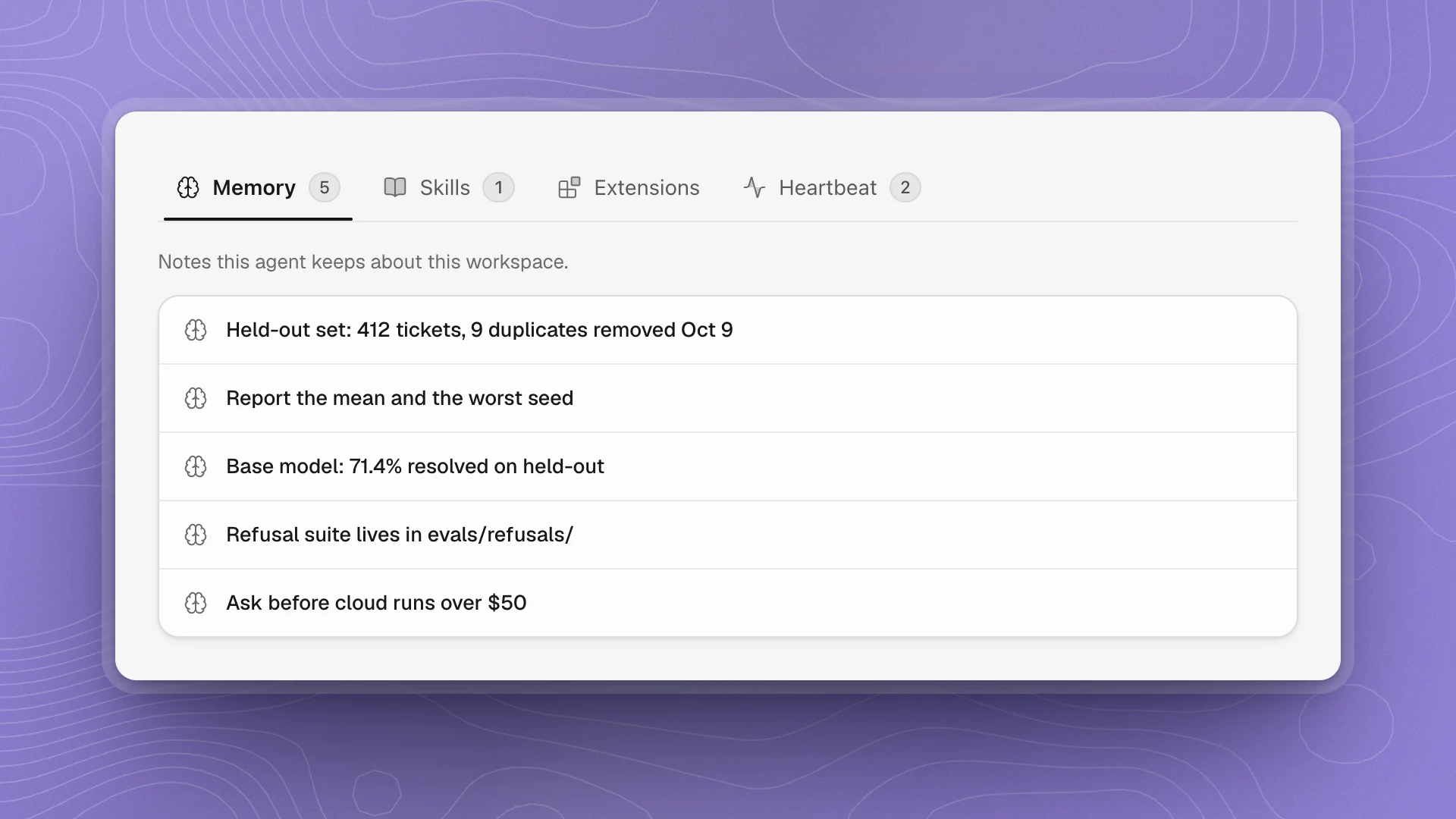
Agents write down what they learn as they work: where things live, how you evaluate, what went wrong last time, what you told them to remember. Those notes are their memory. Each agent keeps its own, separately in each workspace.
When to use it
- Facts and preferences for one agent: where the eval set is, how you want results reported, a fix that worked. Tell the agent and it writes a note.
- Rules every agent must follow belong in the workspace AGENTS.md, since memory is per agent.
- Steps for a repeatable job belong in a skill, which the agent follows step by step.
Why it matters
Without memory, every chat starts from zero: you re-explain the held-out set, the seed rule and the budget each time, and the agent repeats last week's mistake. With it, “do it the way we did the last fine-tune” works. The flip side is that a wrong note gets followed too, which is why reading and fixing notes matters.
What agents remember
| Kind of note | Example on the support-bot project |
|---|---|
| Where things are | “Held-out set: evals/heldout-tickets.jsonl, 412 tickets.” |
| How you work | “Report the mean and the worst seed, never the best.” |
| Decisions | “We dropped the October export after finding duplicated replies.” |
| Past fixes | “Training diverged at step 1,200 when the learning rate warm-up was skipped.” |
| Preferences you stated | “Ask before any cloud run over $50.” |
Where memory lives
Each note is a Markdown file in the agent's own folder inside the workspace:
.optimus/agents/<agent>/
  AGENTS.md        its standing instructions, plus a short index of its notes
memory/ one note per file- The index is always read. The agent's
AGENTS.mdgoes into its instructions at the start of every task, and it lists the notes with a line on each. That's how the agent knows a note exists. - Notes are read when needed. The agent opens a note when the task calls for it, which keeps every task fast while the memory grows.
- Memory stays with the workspace. Notes live in the workspace folder, so they travel with it, and each project teaches its agents separately.
Read a note
Open the agent's profile from its card on the Agents page and choose the Memory tab. Notes are listed newest first, each named by its first heading. Click one to open it.
Fix a note
Open the note and edit it like a page. It saves a moment after you stop typing, and ⌘S saves right away. The agent reads the corrected note the next time it opens it.
For small corrections, telling the agent is often quicker: “The held-out set moved to evals/v2/. Update your notes.” It edits the note and its index together.
Remove a note
Ask the agent: “Forget the note about the October export; we're using it again.” It deletes the note and takes it out of its index. You can also delete the file from the agent's memory/ folder on disk; then ask the agent to tidy its AGENTS.md so the index matches.
Keep memory useful
- Tell it once. “Remember that we always report five seeds” is enough. Repeating it in every chat adds nothing.
- Skim after big changes. A moved folder, a new eval set or a new base model makes old notes wrong, and an agent follows a wrong note faithfully.
- One fact per note. Short notes with a clear first heading are easy to find in the list and easy for the agent to pick from its index.
- Rules every agent needs go elsewhere. Memory belongs to one agent. A rule the whole team must follow goes in the workspace AGENTS.md.
- Procedures become skills. When a note grows into steps for a job, ask the agent to turn it into a skill.